A public page at yourbusiness.trama.link that shows your catalogue offers, your contact details and your socials — with the Trama chat on it. It builds itself: the offers come from the catalogue, the contact details from your organization settings.
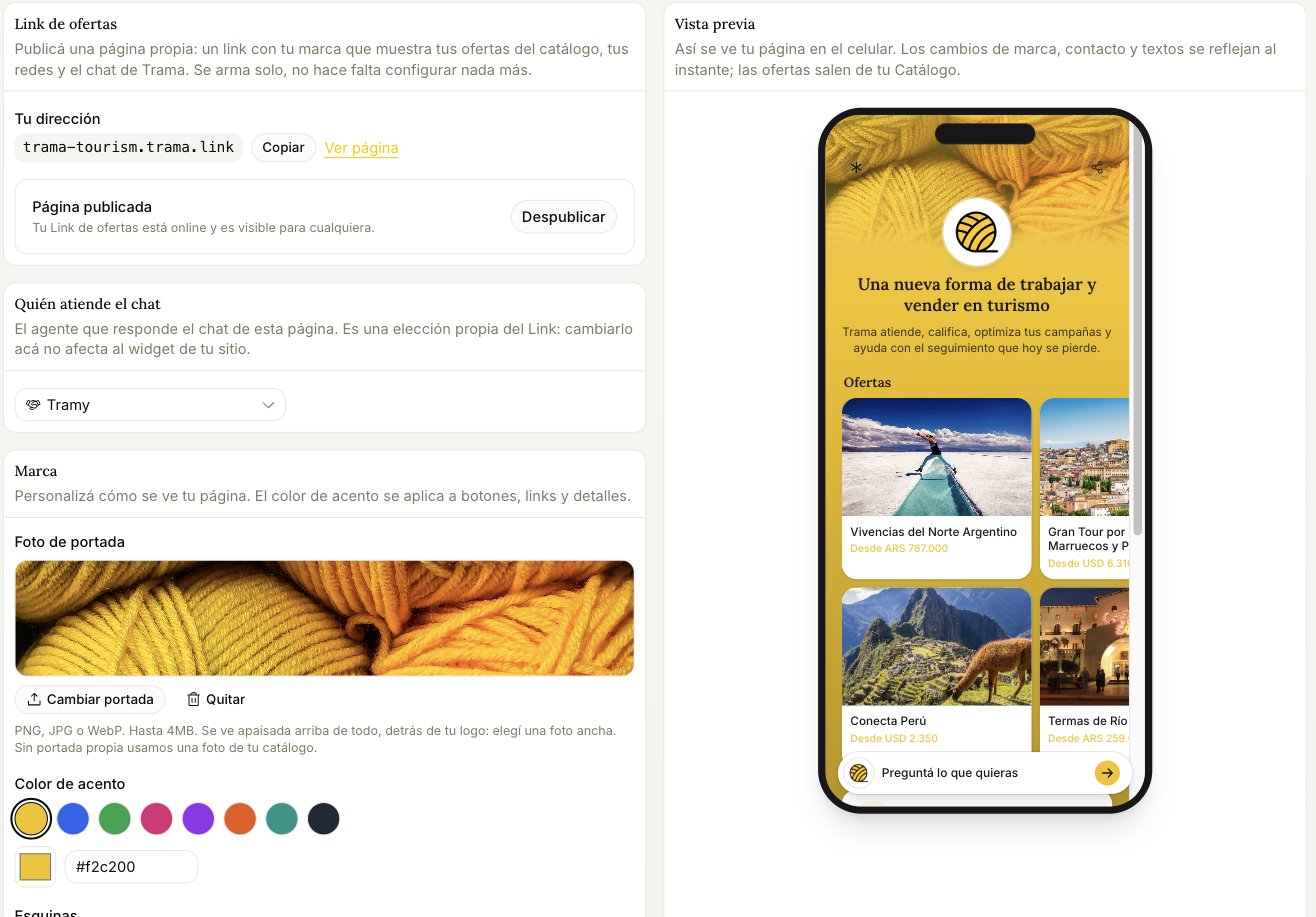
Offer Link panel with the address, branding and live preview

Publishing

One switch. Published means online and visible to anyone; unpublished takes it offline without losing anything you set up. The address is yours and it’s fixed. Put it in your Instagram bio, in your ads, in your email signature — anywhere a link works better than a phone number, because a link shows prices before the conversation starts.

What it shows

Only catalogue items marked to appear on the Link, and only the active ones. A paused or archived product disappears from the page on its own — you don’t have to remember to take it down. The preview on the right is live. Every branding change is reflected instantly, which is the fastest way to check that your accent colour actually works on top of your cover photo.

Branding

Cover photo, accent colour, corner style and favicon. If you don’t upload a cover, it uses a photo from your catalogue. If you pick “from your logo” and haven’t uploaded one, it falls back to Trama’s. There’s also an optional field for your own Meta Pixel, if you want to measure visits to this page in your own account.

Who answers the chat

The Link has its own agent selection, independent from your website widget. Changing it here doesn’t affect the widget, and that’s deliberate: you might want a different agent answering a page you promote in ads than the one answering on your site.